
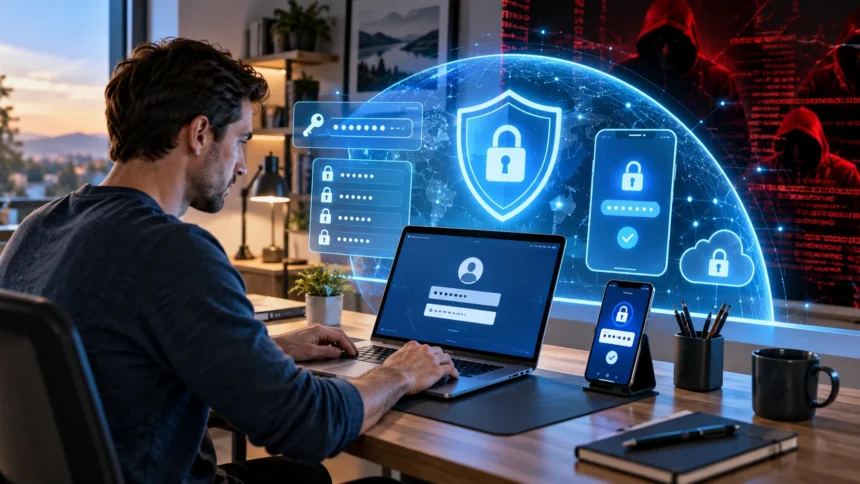
Online accounts hold more personal and financial information than ever, from emails and social media profiles to banking apps, cloud storage, and shopping accounts. That makes account security an important part of everyday digital life. Hackers often succeed not through sophisticated attacks, but by exploiting weak passwords, reused credentials, phishing messages, outdated software, or poor recovery settings.
Learning how to protect your online accounts from hackers does not require advanced cybersecurity knowledge. A few practical habits can dramatically reduce your risk, including using unique passwords, enabling multi-factor authentication, recognizing suspicious messages, and protecting your devices. Building several layers of security makes it much harder for attackers to take over your accounts even if one protection fails.
Use Strong and Unique Passwords for Every Account
Strong passwords remain one of the foundations of online account security. Avoid short passwords based on names, birthdays, pet names, common phrases, or easily guessed personal information. Longer passwords or passphrases containing unrelated words are generally harder to crack, especially when combined with numbers or symbols where the service requires them.
Using a different password for every important account is equally important. If you reuse the same password and one website suffers a data breach, attackers may try those stolen credentials on your email, banking, social media, and shopping accounts. This technique, often called credential stuffing, can turn one compromised password into several account takeovers.
Prioritize your email password because your inbox is commonly used to reset passwords for other services. Your banking, cloud storage, work accounts, and social media profiles should also have completely unique credentials. Creating separate passwords limits the damage if one service is ever compromised and prevents attackers from easily moving between your accounts.
Use a Password Manager to Store Credentials Safely
Remembering dozens of unique, complex passwords is unrealistic for most people, which is why a reputable password manager can be extremely useful. Password managers securely store your login credentials and can generate long, random passwords for each account. You only need to remember the strong master password used to access the password vault.
A password manager can also reduce the temptation to reuse familiar passwords across different websites. Instead of creating variations such as adding a number or changing one character, you can generate completely unrelated credentials automatically. Many password managers also help identify duplicate, weak, or potentially compromised passwords that should be replaced.
Protect the password manager itself carefully because it contains access to many of your accounts. Use a long, memorable master password that you do not use anywhere else and enable multi-factor authentication when available. Avoid storing your master password in an unsecured note, email draft, spreadsheet, or document that another person could easily access.
Turn On Multi-Factor Authentication
Multi-factor authentication adds another security layer beyond your password. After entering your password, you may need to approve a notification, enter a temporary code, use an authenticator app, or verify your identity with a security key. This additional requirement can stop many unauthorized logins even when an attacker already knows your password.
Enable MFA first on accounts that would cause the greatest damage if compromised. Your primary email, banking services, password manager, cloud storage, work accounts, and important social profiles should receive priority. Once those are protected, enable it on other services that support the feature so your overall digital security becomes stronger.
Authenticator apps, passkeys, and hardware security keys can provide stronger protection than relying only on text-message codes. SMS authentication is still generally better than having no second factor, but phone numbers can sometimes be targeted through SIM-related attacks. Use the strongest authentication method a service provides when protecting particularly sensitive accounts.
Consider Passkeys When They Are Available
Passkeys are becoming an increasingly useful alternative to traditional passwords for supported accounts. Instead of typing a reusable secret, you sign in using a trusted device and usually confirm your identity through a fingerprint, facial recognition, PIN, or another device-based method. This approach can reduce risks associated with password theft and phishing.
Passkeys are designed so the private credential used for authentication does not need to be shared with the website during login. This makes them more resistant to common phishing techniques where attackers trick people into entering passwords on fake login pages. They can also eliminate the need to create and remember another password for each supported service.
You do not need to replace every password immediately to benefit from stronger authentication. Start using passkeys on important services that offer them while maintaining strong protections elsewhere. Understanding modern [account security](Add link here) options allows you to gradually strengthen your digital accounts without making everyday sign-ins unnecessarily complicated.
Learn to Recognize Phishing Attempts
Phishing is one of the most common ways criminals attempt to steal login credentials. Attackers may send emails, text messages, social media messages, or fake notifications pretending to represent banks, delivery companies, employers, streaming services, or familiar technology platforms. Their goal is usually to make you click quickly before carefully examining the message.
Be suspicious of messages creating unnecessary urgency, such as warnings that your account will immediately be closed or money will disappear unless you act. Also watch for unusual sender addresses, unexpected attachments, suspicious login links, spelling inconsistencies, or requests for passwords and verification codes. Legitimate companies generally should not need you to reveal your password through email or chat.
Instead of clicking a link in a questionable message, open the company’s official app or manually navigate to the website you normally use. Check your account there for alerts or problems. If the message appears to come from someone you know but seems unusual, confirm with that person through another communication method before sending information or opening files.
Keep Devices, Browsers, and Apps Updated
Software updates often contain security fixes for vulnerabilities discovered after an operating system, browser, or application was released. Delaying updates for long periods can leave known weaknesses available for attackers to exploit. Keeping your phone, computer, tablet, browser, and important applications current reduces exposure to vulnerabilities that developers have already addressed.
Enable automatic updates whenever practical so critical security patches are installed without depending on you to remember them manually. Pay particular attention to operating systems, browsers, password managers, communication applications, and security software. These tools regularly handle sensitive data or interact directly with websites and online accounts.
Remove applications and browser extensions you no longer use, especially if they request extensive permissions. Every additional program can increase your potential attack surface if it becomes outdated or compromised. Download new applications only from trusted sources and review requested permissions rather than automatically allowing access to your contacts, files, camera, microphone, or location.
Secure Your Email Account First
Your email inbox is often the central recovery point for dozens of other online accounts. If an attacker gains access, they may request password resets, intercept verification messages, examine personal information, and discover which services you use. Protecting your main email account should therefore be one of your highest cybersecurity priorities.
Give your email account a unique password and enable the strongest multi-factor authentication method available. Review recovery addresses and phone numbers periodically to make sure they still belong to you. Remove old devices, unknown login sessions, or application access that you no longer recognize or need.
Pay attention to unexpected password-reset messages as well. One notification may simply mean someone entered your address by mistake, but repeated attempts can indicate that somebody is targeting your account. Never approve authentication requests you did not initiate, even if repeated notifications become annoying or appear to come from a legitimate service.
Protect Your Accounts on Public Wi-Fi
Public Wi-Fi in airports, hotels, cafés, shopping centers, and other shared spaces can be convenient, but you should still use it carefully. Avoid assuming that every network displaying a familiar business name is legitimate. Attackers can create misleading network names designed to resemble nearby businesses and encourage people to connect.
Whenever possible, use trusted mobile data for particularly sensitive activities such as banking or changing important security settings. Make sure websites use encrypted HTTPS connections, and avoid ignoring browser security warnings. A reputable VPN can provide another layer of privacy on untrusted networks, although it does not protect you from phishing or compromised accounts.
Disable automatic Wi-Fi connection features if your device frequently joins networks without asking. Also turn off unnecessary file sharing or device discovery while using public connections. When you finish using a shared network, consider removing it from your saved networks so your device does not automatically reconnect to a similarly named network later.
Review Account Recovery and Security Settings
Strong passwords can become less useful if an attacker can bypass them through poorly secured recovery options. Review the recovery email addresses, phone numbers, security questions, and trusted devices connected to important accounts. Remove outdated information and make sure recovery methods lead only to channels that you currently control.
Avoid security-question answers that can easily be discovered through social media or public information. Details such as your birthplace, school, pet name, or family information may already be visible online. Where a service allows flexible answers, treat recovery questions like additional passwords rather than providing predictable information someone could research.
Save backup recovery codes offered by services using multi-factor authentication. Store them securely in a location you can access if your phone is lost, damaged, or unavailable. Recovery planning is important because account security should prevent attackers without accidentally making it impossible for you to regain legitimate access when something goes wrong.
Watch for Signs That an Account Has Been Compromised
Unexpected password changes, unfamiliar login alerts, messages you did not send, or purchases you do not recognize can indicate that an account has been compromised. Other signs include new forwarding rules in email, modified recovery information, unknown connected applications, or friends receiving suspicious messages from your profile. Investigate unusual activity as soon as you notice it.
If you can still access the account, change the password immediately and make sure the new password is unique. Sign out of other active sessions where possible, remove unknown devices, enable or reset multi-factor authentication, and check recovery settings. Review connected apps and revoke access for anything unfamiliar or no longer required.
If financial information may have been exposed, contact the relevant bank or payment provider quickly and review recent transactions. For email compromise, check whether attackers created forwarding rules or filters that hide incoming security alerts. Acting quickly can limit damage and prevent criminals from using one compromised account to attack other services connected to you.
Limit the Personal Information You Share Online
Information shared publicly can sometimes help attackers guess passwords, answer security questions, or create convincing phishing messages. Birthdays, workplaces, family names, travel plans, pet names, and other personal details may appear harmless individually. Combined together, however, they can provide criminals with useful context for impersonation or social engineering.
Review privacy settings on social networks and decide who actually needs access to your posts and profile information. Avoid publicly sharing screenshots that reveal email addresses, phone numbers, QR codes, account details, or security notifications. Even small pieces of information can become useful when attackers combine them with data collected elsewhere.
Be cautious when participating in online quizzes or posts asking for personal details such as your first car, childhood street, favorite teacher, or mother’s maiden name. These questions can resemble traditional account-recovery prompts. Keeping unnecessary personal information private reduces the amount of material criminals can use to create targeted attacks against you.
Build a Simple Online Security Routine
Strong cybersecurity works best when it becomes part of your normal routine instead of something you think about only after an account is hacked. Periodically review your most important accounts, check active sessions, confirm recovery information, and replace passwords that are weak or reused. These small checks can uncover problems before they become serious incidents.
Set aside time every few months to review password-manager alerts, remove unused applications, update old devices, and check which third-party services can access your accounts. Close accounts you no longer need when possible. Reducing the number of abandoned accounts also reduces the number of places where old personal information and credentials may remain exposed.
Most importantly, slow down when something online creates urgency or asks for sensitive information. Many attacks depend on people reacting quickly rather than thinking carefully. Strong passwords, MFA, updates, phishing awareness, passkeys, recovery planning, and cautious online behavior work together to create multiple layers that make successful account compromise considerably more difficult.
Conclusion
Protecting your online accounts from hackers requires more than relying on one strong password. Unique credentials, multi-factor authentication, passkeys, secure recovery settings, software updates, and careful browsing habits work together as layers of defense. If one security measure fails, another can still prevent an attacker from gaining complete access.
Start with your most important accounts, particularly email, banking, password management, cloud storage, and work services. Strengthen their passwords, enable the best available authentication method, and review recovery information. Once your critical accounts are secured, apply the same practices gradually across social media, shopping, entertainment, and other online services.
Online security does not need to feel complicated when you build consistent habits. Stay cautious around unexpected links, keep devices updated, monitor unusual activity, and limit unnecessary personal information online. A few minutes spent improving account security today can prevent the much larger inconvenience and financial risk that often follows an account takeover.
FAQs
What is the best way to protect an online account?
Use a unique, strong password together with multi-factor authentication or a passkey when available. Keep recovery information current and avoid clicking suspicious login links sent through unexpected emails, texts, or messages.
Can hackers access my account if I use two-factor authentication?
Two-factor authentication significantly improves account security, but no protection is perfect. Attackers may still attempt phishing or social engineering, so you should never approve unexpected login requests or share verification codes.
Is it safe to use the same password on different websites?
No. Reusing passwords allows attackers to test credentials stolen from one breached website against your other accounts. Every important service should have a different password, ideally generated and stored by a password manager.
What should I do if I think my account was hacked?
Change the password immediately, sign out unknown sessions, review recovery settings, remove unfamiliar connected apps, and enable multi-factor authentication. If financial information is involved, contact your bank or payment provider promptly.
Are passkeys safer than passwords?
Passkeys can provide stronger protection against common password theft and phishing because they do not rely on entering a reusable password into websites. Their availability and setup options depend on the service and device you use.