
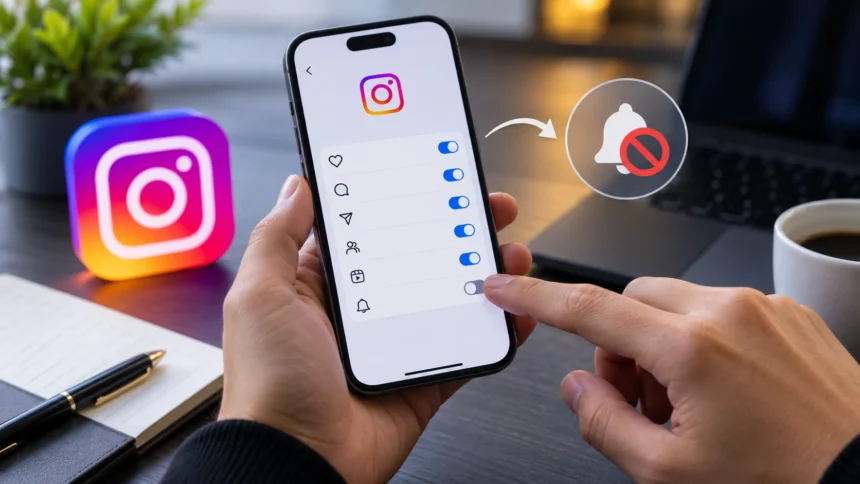
Instagram regularly introduces new features designed to make sharing with friends faster and more interactive. One of those additions is Instants, a disappearing-photo feature that lets users capture and send spontaneous pictures to Close Friends or mutual followers. While some people enjoy the quick-sharing format, others may prefer a cleaner inbox or simply want more control over what appears inside Instagram Direct Messages.
Learning how to turn off Instants on Instagram is relatively straightforward once you know where the appropriate controls are located. You can hide Instants from your inbox, temporarily snooze them, manage their notifications, or remove an Instant you accidentally shared. Understanding these options helps you customize Instagram without necessarily changing your other messaging, Story, or privacy preferences.
What Are Instants on Instagram?
Instagram Instants are designed for sharing quick photos captured in the moment rather than polished images selected from your phone gallery. You take the picture directly through the Instants camera, can add a caption, and choose whether to share it with Close Friends or mutual followers. The format focuses on spontaneous, temporary communication rather than permanent profile content.
Unlike regular Instagram posts, Instants are temporary. Shared photos disappear after they have been viewed and are no longer available to recipients after their limited availability period. Recipients can react or reply privately, giving the feature a more direct and casual feel than posting something publicly to your profile or sharing a traditional Story.
Instagram places access to Instants within the messaging experience, where a small stack of photos can appear near the bottom of the inbox. There is also a dedicated Instants experience in supported locations. Because the feature sits prominently within DMs, some users may want to hide it simply because they do not plan to use it.
How to Turn Off Instants on Instagram
To hide Instants, begin by opening the Instagram mobile app and navigating to your profile. Tap the three-line menu in the upper-right corner to access Instagram’s settings and preferences. Find the Content Preferences section, where Instagram provides an option labeled “Hide Instants in inbox” for users who do not want the feature displayed in their messaging area.
Turn on the “Hide Instants in inbox” option. Once enabled, new Instants should no longer appear as the usual stack inside your Instagram inbox. This is the most useful setting when you have no interest in viewing Instants and want to reduce unnecessary features or visual clutter within your direct-message interface.
Remember that Instagram’s interface can change as the company updates its applications. If you cannot immediately find the option, make sure you are using the latest version of Instagram and carefully review Content Preferences and related messaging settings. Feature availability and menu placement may sometimes vary between accounts, devices, app versions, or regions.
How to Temporarily Snooze Instagram Instants
You do not necessarily need to permanently hide the feature if you only want a temporary break. Instagram includes a snooze-style option that allows users to stop receiving Instants temporarily. This can be useful when you normally enjoy the feature but want a less distracting inbox during work, travel, study sessions, or another particularly busy period.
Open your Instagram inbox and locate the pile of Instants. Press and hold the stack, then swipe right to temporarily stop receiving them. Instagram’s own description of the feature says users can reverse the change by holding the same area and swiping in the opposite direction when they are ready to bring Instants back.
The temporary option provides more flexibility than completely hiding Instants through settings. You can reduce interruptions without making a longer-term change to how the feature appears on your account. This approach is particularly helpful for people who use Instants occasionally but do not want them constantly competing with regular conversations in Instagram Direct.
How to Turn Off Instagram Instants Notifications
Sometimes the feature itself is not the problem; the notifications are. If you still want access to Instants but dislike receiving alerts every time someone shares or reacts to one, adjusting notification settings can provide a better solution. This allows you to keep the feature available while reducing unnecessary interruptions throughout the day.
Open your Instagram profile, access the menu, and navigate to the app’s notification controls. Look for the settings associated with Instants and adjust or disable the relevant alerts when that option is available on your account. Notification controls can help reduce alerts connected with new Instants and interactions without requiring you to hide the entire feature.
This distinction is important because hiding Instants and disabling notifications solve different problems. If you want the feature removed from your inbox, use the hide option. If you simply want Instagram to stop interrupting you with alerts, modifying notifications gives you greater control while preserving access whenever you voluntarily open the app.
How to Unsend an Instagram Instant
Accidentally sharing a photo can be stressful, particularly when a feature is designed for immediate sharing. Instagram provides an Undo option that can help retract an Instant quickly before friends view it. If you realize immediately that you sent the wrong photo or selected the wrong audience, use the available Undo control as soon as possible.
Instagram also maintains a private archive of Instants you have shared. If an Instant remains unopened, deleting it from your archive can unsend it to friends who have not yet viewed it. Because temporary content moves quickly, checking the archive immediately is important when you realize something was shared unintentionally.
Before capturing an Instant, take a moment to check the selected sharing audience. Understanding basic [Instagram settings](Add link here) can also make new features easier to manage and reduce accidental sharing. A few seconds spent checking recipients and privacy options can save you from having to quickly retract a photo afterward.
Does Hiding Instants Delete Anything?
Turning on the option to hide Instants from your inbox is primarily about controlling what you see in the interface. It should not be confused with deleting your Instagram profile, clearing regular DMs, or disabling your other sharing features. Your posts, Reels, Stories, followers, and ordinary conversations remain separate from the Instants inbox setting.
If your main concern is keeping your direct-message area simpler, hiding Instants can therefore be a convenient choice. You do not need to deactivate Instagram or change broader privacy settings simply because you dislike one feature. Instagram includes different controls for different types of communication, allowing users to customize individual parts of their experience.
However, hiding the feature should also not be confused with retracting an Instant you previously shared. If you accidentally sent a photo, use Instagram’s Undo or archive-removal controls instead. Changing how Instants appear in your own inbox does not automatically serve the same purpose as specifically removing previously shared temporary content.
How to Control Who Can Send You Instants
Instagram’s existing safety and privacy tools apply to Instants as well. Features such as Block, Mute, and Restrict can help manage interactions with individual accounts. If your problem comes primarily from one particular person rather than Instants generally, using account-specific controls may be more appropriate than hiding the entire feature.
For example, muting can reduce unwanted activity without necessarily ending your connection with someone. Restrict can provide another layer of control over interactions, while blocking is appropriate when you do not want an account interacting with you. Choosing the right option depends on whether you want fewer interruptions or a stronger privacy boundary.
Reviewing your Close Friends list and follower relationships can also help you understand who participates in different parts of your Instagram experience. Social-media privacy works best when settings are reviewed periodically rather than configured once and forgotten. Remove unfamiliar accounts and adjust interaction settings whenever your preferences or relationships change.
Why You May Want to Disable Instagram Instants
One common reason for hiding Instants is simply reducing clutter. Instagram already includes posts, Stories, Reels, Notes, direct messages, suggested content, and numerous notifications. Adding another sharing format can make the interface feel busier, particularly for people who primarily use the platform to browse content or communicate through regular DMs.
Privacy and accidental sharing are other concerns. Because Instants emphasize fast, spontaneous photo sharing, users who prefer reviewing everything before publishing may feel uncomfortable with the format. Taking more time before sharing pictures can be especially important when a photo contains personal information, private surroundings, work material, or people who did not expect to appear online.
Others may hide the feature because they want fewer distractions. Every additional social-media interaction can create another reason to check your phone. If Instants do not provide meaningful value for you, disabling or snoozing them can make Instagram feel simpler while allowing you to continue using the parts of the platform you actually enjoy.
What to Do If You Cannot Find the Instants Setting
First, update Instagram through the official application store for your device. New controls may not appear correctly when you are using an older version of the app. After updating, close and reopen Instagram, return to your profile settings, and look again under Content Preferences for the option associated with hiding Instants.
Feature rollouts can also vary between users. Instagram frequently tests and releases functionality gradually, which means two accounts may temporarily display different menu layouts or options even when using similar devices. If your interface does not match instructions exactly, search related sections of Instagram’s settings rather than assuming something is wrong with your account.
You can also restart the application or your device if settings appear incomplete after an update. Avoid downloading unofficial Instagram applications simply to access different controls because third-party software can create privacy or account-security risks. Stick with the official Instagram application and its built-in settings when managing Instants or any other account feature.
Instagram Instants vs Stories
Instants and Stories both involve temporary visual sharing, but they serve somewhat different purposes. Stories are designed to share photos, videos, text, links, and other creative content with an audience for a limited period. They offer editing tools and presentation options that make them suitable for both casual sharing and more polished social content.
Instants emphasize quick, direct photos captured in the moment. Instagram does not allow ordinary gallery uploads for an Instant, and editing options are intentionally limited compared with Stories. The experience is designed around immediacy, encouraging people to share what is happening rather than spending significant time editing or selecting a polished image.
Your preference depends on how you use Instagram. If you enjoy creating polished updates, Stories may fit your habits better. If you prefer spontaneous communication with friends, Instants may be appealing; however, users who rarely share personal photos can comfortably hide the feature and continue using Instagram’s other formats.
Tips for Better Instagram Privacy
Start by reviewing who follows you and whether your account should be public or private. A private profile gives you more control over who can follow you and view certain content. Even with a public account, regularly checking followers, mentions, tags, and message controls can help reduce unwanted interactions and make your experience more comfortable.
Use a strong, unique password and enable multi-factor authentication to protect your Instagram account from unauthorized access. Never share login verification codes with someone claiming to represent Instagram through an unexpected message. Phishing attempts can imitate security warnings, copyright notices, verification offers, or account-recovery messages to trick users into revealing credentials.
Finally, review privacy controls whenever Instagram introduces a new feature you plan to use. Understand who can see your content, where it appears, and whether other users can reply or react. New tools can be enjoyable, but taking a minute to understand audience and sharing controls helps you avoid accidental exposure of personal content.
Customize Instagram Around How You Use It
You do not need to use every feature Instagram introduces. The platform serves people with very different habits, including creators, businesses, casual users, photographers, friends, and people who mainly use direct messaging. Customizing settings lets you build an experience that better matches why you personally open the app.
If Instants feel distracting, hide or snooze them. If notifications are the issue, adjust alerts instead of removing the feature completely. If one particular account creates unwanted interactions, use individual privacy tools such as Mute, Restrict, or Block rather than changing settings that affect everyone.
Periodically review Instagram settings as new features appear because your preferences may change over time. A feature that feels unnecessary today might become useful later, and controls can usually be adjusted again. Managing social media intentionally gives you more control over attention, privacy, communication, and the content that occupies your screen.
Conclusion
Learning how to turn off Instants on Instagram gives you greater control over your direct-message experience. You can hide the feature from your inbox through Content Preferences, temporarily snooze Instants, adjust notifications, or manage interactions from individual accounts depending on what you want to change.
If you accidentally share an Instant, act quickly and use Instagram’s available Undo or archive controls when applicable. Pay attention to your selected audience before capturing spontaneous photos, especially when personal information or other people may appear in the image. Understanding the controls makes the feature much easier and safer to manage.
Instagram will continue introducing new ways to communicate, but you are not required to use every feature. Review your settings periodically and keep only the tools that genuinely improve your experience. Whether you disable Instants completely or simply reduce their notifications, the right choice is whichever makes Instagram more useful and less distracting for you.
FAQs
Can I completely turn off Instants on Instagram?
You can hide Instants from your Instagram inbox by enabling the relevant option under Content Preferences. Instagram also provides temporary snooze controls if you only want to stop receiving them for a while.
How do I temporarily stop Instagram Instants?
Open your Instagram inbox, press and hold the Instants photo stack, and use the available swipe control to snooze it temporarily. You can reverse the action later if you want Instants to return.
Can I delete an Instagram Instant after sending it?
Instagram provides options for retracting shared Instants, including an immediate Undo control. Unopened Instants may also be removed through the private archive, preventing recipients who have not viewed them from seeing them.
Why can’t I find Instants on my Instagram account?
Your app version, account, device, or regional rollout may affect availability. Update Instagram through your official app store and check the latest Content Preferences and messaging settings for Instants-related controls.
Will turning off Instants affect my Instagram DMs?
Hiding Instants is intended to control the Instants experience rather than disable ordinary Instagram messaging. You can continue using regular direct messages and other Instagram features while keeping Instants hidden from your inbox.