
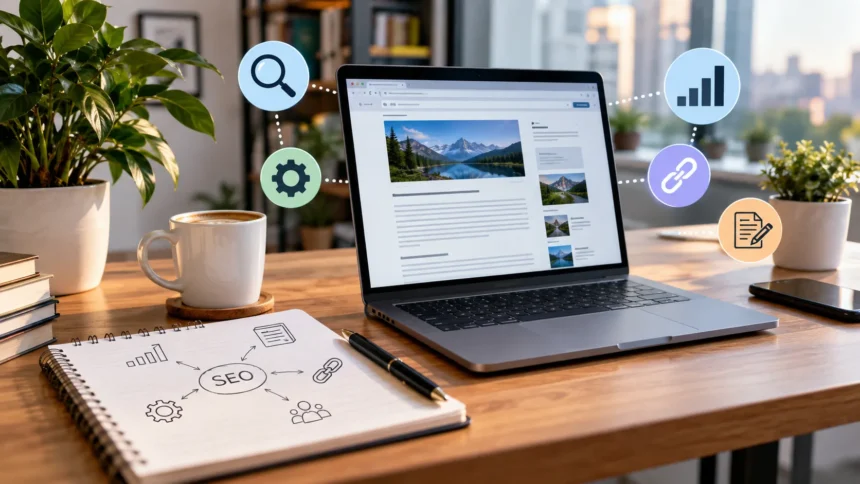
On-page SEO is the process of optimizing individual web pages so search engines can understand their purpose and users can find the information they need quickly. It includes content quality, keyword placement, headings, title tags, internal links, URLs, images, and overall page experience. In 2026, effective on-page optimization focuses more heavily on usefulness, relevance, clarity, and satisfying search intent.
Learning what on-page SEO is can help website owners build stronger foundations before investing heavily in backlinks or advanced strategies. Search engines continue improving their ability to understand context, entities, relationships, and user needs. That means successful optimization is no longer about repeating keywords; it is about creating helpful pages that deserve to appear for relevant searches.
What Is On-Page SEO?
On-page SEO, sometimes called on-site SEO, involves optimizing elements directly within a webpage to improve organic search visibility. These elements include written content, title tags, headings, internal linking, URLs, multimedia, and HTML signals. The goal is to make each page understandable to both visitors and search engines while clearly communicating what topic the content covers.
Unlike off-page SEO, which focuses heavily on external signals such as backlinks and brand mentions, on-page optimization remains largely under your control. You decide how clearly the page answers a query, how information is organized, and how related content connects. Strong on-page SEO therefore creates an important foundation for every broader organic search strategy.
Modern optimization also considers whether users actually receive value after clicking a search result. A page can technically contain a target keyword and still perform poorly if the information feels shallow, confusing, outdated, or irrelevant. In 2026, on-page SEO works best when search optimization and genuinely useful content are treated as the same goal.
Why On-Page SEO Matters in 2026
Search engines need clear signals to understand which pages are relevant to different topics and queries. Well-structured content, descriptive headings, meaningful titles, and contextual internal links help clarify a page’s subject. When those elements align with useful information and user intent, search engines have a stronger basis for deciding where the page belongs within relevant search results.
Competition for organic visibility has also become more intense as websites publish more content and AI-assisted creation becomes widespread. Simply producing another generic article is rarely enough. Pages need original value, strong topic coverage, clear organization, and practical answers that help users accomplish something instead of merely summarizing information already available elsewhere.
On-page SEO can also improve performance beyond traditional rankings. Better titles can increase organic click-through rates, stronger internal links can expose users to additional pages, and clearer content can improve engagement. Effective optimization therefore supports traffic, usability, topical authority, conversions, and a website’s overall ability to turn search visibility into meaningful business outcomes.
Start With Search Intent Before Keywords
Search intent describes what a person actually wants to accomplish when entering a query. They may want information, compare different products, find a specific website, evaluate a service, or complete a purchase. Understanding that purpose should come before writing because even perfectly placed keywords will struggle if the page format does not match what searchers genuinely expect.
Study the wording of your target keyword and consider the likely problem behind it. A search such as “how to do on-page SEO” suggests educational intent, while “best on-page SEO tools” indicates comparison intent. Pages should be structured differently depending on whether users expect a tutorial, checklist, product comparison, service page, category page, or straightforward explanation.
You can also examine what kinds of pages currently satisfy similar queries to understand expectations around depth and format. However, avoid simply copying competitor structures. Use those patterns to understand intent, then create something clearer or more useful by answering missing questions, providing practical steps, improving organization, or bringing stronger firsthand expertise to the topic.
Choose Primary and Related Keywords Naturally
Keyword research still matters because it reveals how people describe topics and what questions they search for. Start with one clear primary keyword that represents the page’s main purpose, then identify related terms, variations, and subtopics. This creates a natural semantic framework instead of forcing the same exact phrase into every section of the content.
For example, a page targeting on-page SEO may naturally discuss title tags, search intent, internal linking, meta descriptions, URL structure, keyword optimization, image alt text, content quality, and heading structure. These related concepts help create topical depth. They also make the content more useful because readers usually need more than one narrow definition to understand a subject properly.
Avoid thinking about keyword density as a fixed percentage you must reach. Repeating a phrase unnaturally can make content harder to read without providing meaningful SEO value. Instead, use the primary keyword where it fits logically and include related terminology naturally throughout the page so the overall topic remains clear without sounding mechanical or repetitive.
Optimize Title Tags and Meta Descriptions
The title tag is one of the most important on-page elements because it helps communicate what a page is about before someone visits it. Create a concise, specific title that accurately represents the content and naturally contains the main keyword when appropriate. Strong titles also give searchers a compelling reason to choose your page over competing results.
Avoid stuffing titles with multiple variations of the same keyword. A title such as “On-Page SEO: On-Page Optimization & SEO Guide” sounds repetitive and provides little additional value. A clearer title can combine the topic with a useful benefit, audience, year, or outcome so readers immediately understand what they will gain from opening the page.
Meta descriptions do not need to become miniature keyword lists either. Use them to summarize the page accurately and encourage relevant clicks through clear benefits or expectations. While search engines may sometimes generate their own snippet, writing a useful description still gives you an opportunity to communicate the page’s value and improve how it appears in search.
Use Headings to Build a Clear Content Structure
Headings make long content easier for readers to scan and help organize related ideas into a logical hierarchy. Use H2 headings for the major sections of a page and H3 headings when a section needs further subdivision. Descriptive headings are usually more useful than vague labels because they immediately tell readers what information appears underneath them.
Your headings should follow the natural journey of the topic. An introductory guide might begin with a definition, explain why the topic matters, cover key elements, provide implementation steps, and finish with common mistakes or frequently asked questions. This structure reduces cognitive effort and makes it easier for users to locate specific answers without reading every word.
Keywords can appear in headings when they accurately describe the section, but avoid forcing exact-match phrases repeatedly. Variations and related concepts often sound more natural while still reinforcing relevance. Good heading structure exists primarily to improve clarity, so write headings for humans first and allow their descriptive language to provide useful search context naturally.
Create Helpful Content That Demonstrates Real Value
Content quality has become increasingly important because publishing volume alone does not guarantee organic visibility. Useful pages should answer the primary query thoroughly while helping readers understand important related questions. Remove filler, unnecessary repetition, and generic statements that increase word count without improving the user’s ability to solve a problem or make a better decision.
Where possible, add something competitors do not offer. This could include original examples, screenshots, firsthand observations, practical templates, expert explanations, data from your own work, common mistakes, or a clearer process. Unique value gives readers a reason to trust and remember your page instead of treating it as another interchangeable article created around the same target keyword.
People-first content should also be easy to understand. Use short paragraphs, descriptive subheadings, examples, and direct explanations rather than complicated language designed only to sound authoritative. If you are just learning [SEO basics](Add link here), focus first on making every page genuinely useful before worrying about advanced optimization tactics or minor technical adjustments.
Improve Your Internal Linking Strategy
Internal links connect one page of your website to another and help both users and search engines discover related content. They can guide visitors toward deeper explanations, supporting resources, service pages, product categories, or conversion-focused pages. Strategic internal linking also helps establish relationships between topics across your site and supports a clearer overall information architecture.
Choose anchor text that describes the destination naturally. Generic phrases such as “click here” provide little context, while concise descriptive anchors tell visitors what they will find after clicking. Avoid repeatedly using awkward exact-match anchor text simply for SEO purposes; internal links should feel like a useful part of the sentence rather than an artificial optimization tactic.
When publishing a new page, link to relevant older pages and also look for opportunities to add links from existing pages back to the new content. This two-way approach prevents valuable articles from becoming isolated. Regular internal-link audits can also reveal broken links, orphan pages, and important content that deserves stronger connections from other relevant sections of the website.
Optimize URLs and Images Properly
A good URL should be readable, concise, and descriptive enough to communicate the page topic. Avoid unnecessary numbers, dates, parameters, or long strings of unrelated words when they are not required. For example, a simple structure containing the main topic is generally easier to understand and maintain than a URL overloaded with categories and redundant modifiers.
Images can improve comprehension, break up large blocks of text, and make articles more visually engaging. Compress large image files so they do not unnecessarily slow the page, and choose descriptive filenames when appropriate. Add useful alternative text that explains meaningful images for accessibility rather than stuffing alt attributes with keywords that do not genuinely describe the visual.
Image relevance matters as well. Decorative graphics added simply to increase visual count may not improve the page, while useful diagrams, screenshots, comparisons, and original illustrations can provide real value. Treat multimedia as part of the content experience and optimize it for both speed and usefulness rather than adding images purely because an SEO checklist recommends them.
Pay Attention to Page Experience and Mobile Usability
A well-optimized page should be easy to use regardless of whether someone visits from a desktop computer, tablet, or smartphone. Text needs to remain readable, navigation should be straightforward, and buttons or links should be easy to interact with. Mobile usability is especially important because a substantial portion of search activity occurs on smaller screens.
Loading performance also influences how users experience a page. Large images, excessive scripts, poorly configured plugins, and unnecessary third-party elements can make websites feel slow. Improving performance may require compressing assets, using efficient hosting, reducing unnecessary code, and addressing technical issues that delay visible content or cause elements to move unexpectedly while loading.
Avoid intrusive layouts that make content difficult to access. Aggressive pop-ups, crowded advertisements, confusing navigation, and oversized banners can frustrate visitors even when the underlying information is strong. On-page SEO should support the complete user experience, so technical performance and usability deserve attention alongside keywords, headings, and traditional content optimization.
Refresh Existing Pages Instead of Only Publishing New Content
Many websites continuously publish new articles while ignoring pages that already rank, receive impressions, or attract backlinks. Updating existing content can sometimes create faster gains because those URLs already have search history and established signals. Review older pages for outdated information, weak sections, missing subtopics, poor internal linking, and titles that no longer match current search intent.
Use performance data to identify pages that receive impressions but relatively few clicks or pages that have gradually lost visibility. Improving titles, refreshing information, strengthening introductions, and answering additional relevant questions can make those pages more competitive. Do not change content simply for freshness; make updates when you can genuinely improve accuracy, usefulness, or completeness.
Content consolidation can also help when several pages compete for nearly identical topics. Instead of maintaining multiple thin articles targeting slight variations of the same query, consider combining them into a stronger resource when appropriate. A cleaner content architecture can reduce cannibalization and make it easier for search engines and users to understand which page is the primary resource.
Common On-Page SEO Mistakes to Avoid
One common mistake is writing content primarily for search algorithms instead of actual readers. Excessive keyword repetition, awkward headings, unnecessary word count, and repetitive FAQs can make pages feel artificial. Search optimization should improve clarity and relevance rather than reduce readability, so every element you add should contribute something useful to the page’s purpose.
Another mistake is treating every page exactly the same. A blog article, ecommerce category, product page, local landing page, and SaaS service page each serve different search intents. Applying an identical checklist without considering page purpose can produce technically optimized content that fails to satisfy visitors or support the business objective behind the page.
Finally, avoid assuming on-page SEO is finished once a page is published. Search behavior, competing content, products, statistics, and user expectations can change over time. Review important pages periodically using performance data, update them when necessary, strengthen internal connections, and continue improving sections that are not serving users as effectively as they could.
Conclusion
On-page SEO in 2026 is about making individual pages clear, useful, relevant, and easy to navigate. Core elements such as search intent, quality content, title tags, headings, internal links, URLs, image optimization, and page experience all work together. Focusing on only one of these areas rarely produces the strongest long-term results.
Beginners should start with the fundamentals rather than trying to implement every advanced SEO technique immediately. Understand what users are searching for, build a page that answers that need thoroughly, organize it clearly, optimize important HTML elements, and connect it to other useful pages. This simple process creates a strong foundation for sustainable organic growth.
The most effective on-page SEO does not feel like SEO when someone reads the page. It feels like clear, useful content that quickly answers questions and guides visitors toward their next step. Continue measuring performance and improving existing pages over time, and your website will be better positioned to compete as search continues evolving.
FAQs
What is on-page SEO in simple terms?
On-page SEO means improving elements within your own webpages so users and search engines can understand them easily. It includes content, keywords, titles, headings, internal links, URLs, images, and usability.
Is on-page SEO still important in 2026?
Yes. On-page SEO remains essential because search engines still need clear context and users expect valuable, well-organized pages. However, usefulness and search intent matter more than mechanical keyword placement.
What is the difference between on-page and off-page SEO?
On-page SEO focuses on elements you optimize directly on your website, including content and internal structure. Off-page SEO involves external signals such as backlinks, digital PR, brand mentions, and broader online authority.
How long does on-page SEO take to work?
Results vary depending on competition, website authority, indexing, content quality, and the changes made. Some improvements may influence performance relatively quickly, while competitive keywords can require months of consistent SEO work.
What should beginners optimize first for on-page SEO?
Start with search intent, helpful content, title tags, headings, internal links, and clean URLs. Once those fundamentals are strong, improve images, page speed, mobile usability, and other technical on-page elements.